Edit Unreal Blueprint splines with Blender's curve tools.
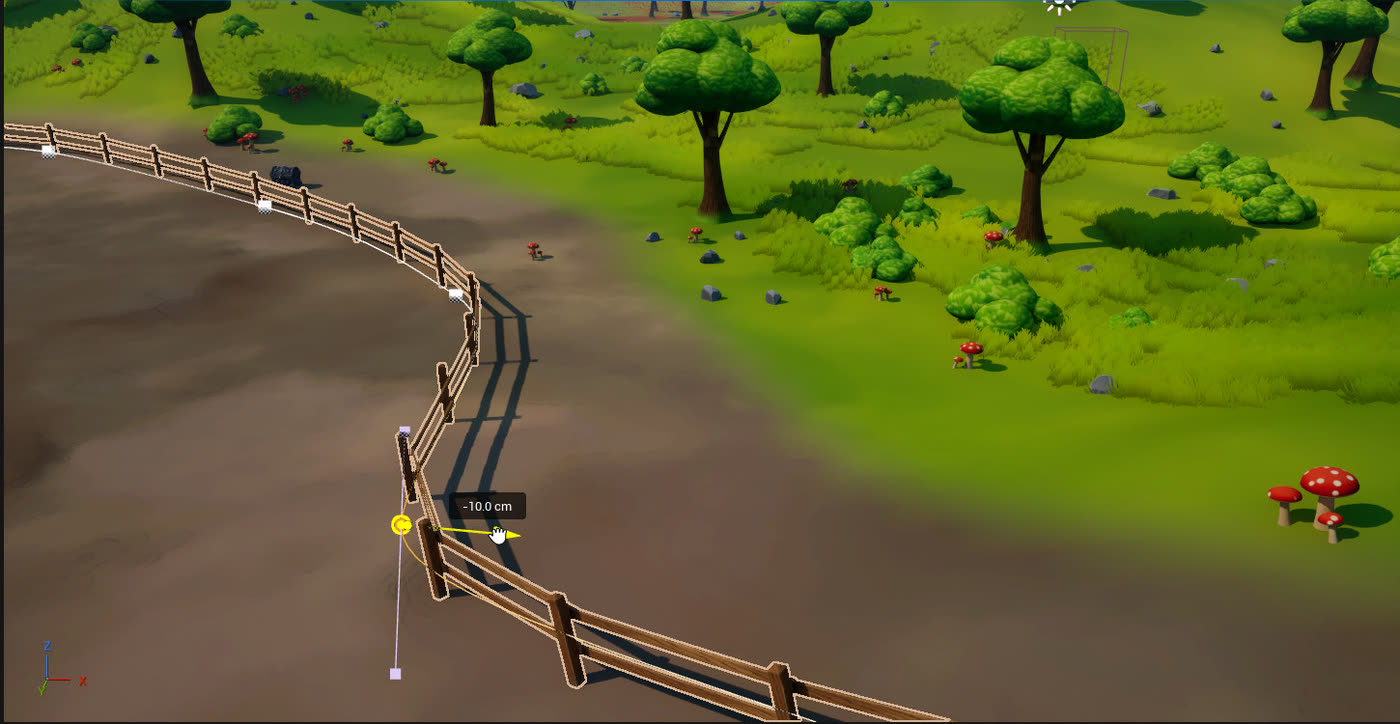
A spline Blueprint, like a fence, a road or a camera rail, comes into Blender with its spline as an editable Bezier curve. Move points and handles, add or delete points, and the spline in Unreal follows exactly. Unreal then runs the Blueprint's construction script again, so the fence posts or the road mesh rebuild along the new shape.
How it works
- Click the Blueprint in Blender and press Tab to edit its spline.
- Move points or handles, Extrude or Subdivide to add points, delete points or toggle cyclic.
- The spline in Unreal follows live, and the Blueprint rebuilds along it.
Exact, both ways
Straight handles become linear points, moved handles become custom tangents, and untouched points keep Unreal's own type. The component is set to override its construction script, so the Blueprint keeps your points.
Good to know
- Rebuilding the Blueprint right away needs the Foliage Helper, which comes in the Unreal download.
- Splines that a construction script creates itself stay read-only.
- One Unreal spline component is one spline: extra splines in the curve stay in Blender.
- Blueprint actors otherwise move as a whole; their other parts are edited in Unreal.
Questions
Can I edit Unreal spline Blueprints in Blender?
Yes. The spline component comes into Blender as a Bezier curve. Edit its points in Edit mode and the Blueprint rebuilds along them in Unreal.
Other guides
Try it on your own level.
Every feature free for 7 days. Then a lifetime Pro licence, 50% off at launch: $24.99 instead of $49.99.